

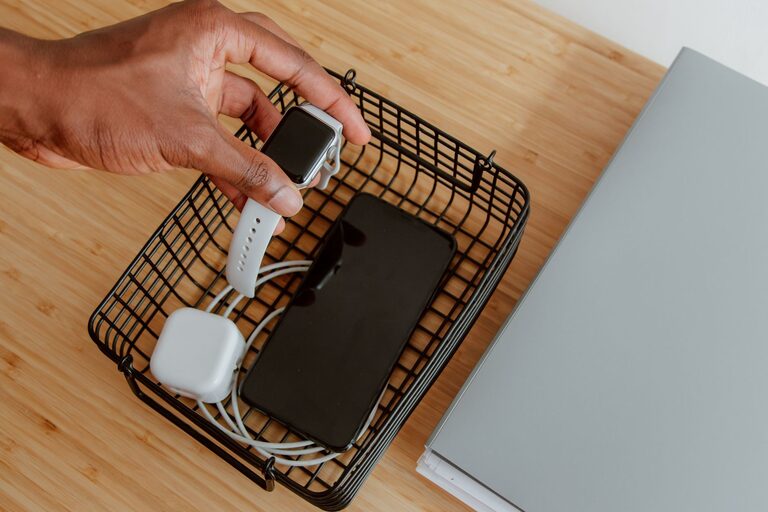
Setting up a dedicated charging station for your devices can simplify your daily routine and keep your space tidy. With more gadgets requiring power—smartphones, tablets, laptops, smartwatches, and more—a centralized charging spot helps prevent cluttered cords and lost chargers. This guide will walk you through the steps to create an effective and convenient charging station tailored to your needs.
Why Create a Charging Station?
Having a designated place for charging offers several benefits:
– Organization: Keeps cables and devices in one spot, reducing mess.
– Accessibility: Makes it easy to find chargers and devices.
– Safety: Reduces the risk of tripping over cords or damaging devices.
– Efficiency: Helps you keep track of what’s charging and what’s ready.
Step 1: Choose the Right Location
The ideal spot for your charging station should have:
– Easy access to electrical outlets. Consider locations near a power strip or wall sockets.
– Sufficient surface space. A small table, shelf, or desk corner works well.
– Good ventilation. Charging devices can generate heat, so avoid enclosed spaces.
– Visibility. You want to keep an eye on your devices while they charge.
Common locations include a home office desk, living room side table, kitchen counter, or bedside table.
Step 2: Gather Your Charging Equipment
Depending on your device collection, you’ll need various charging accessories:
– Power strips or USB charging hubs: Look for models with surge protection and multiple USB ports.
– Charging cables: Have cables compatible with your devices (USB-C, Lightning, Micro-USB).
– Cable organizers: Clips, ties, sleeves, or trays to keep cords neat.
– Device stands or holders: Useful to keep devices upright and save space.
For convenience, consider a charging station that supports wireless charging for compatible devices.
Step 3: Plan Your Layout
Before plugging anything in, plan how your charging station will be arranged to maximize space and accessibility.
– Sort devices by size and usage frequency. Place frequently used gadgets in easy-to-reach spots.
– Position charging hubs near outlets. Minimize the length of visible cables.
– Use vertical space. Stands or shelves help stack devices safely.
– Label cables or ports if you have many similar plugs to avoid confusion.
Sketching out your setup on paper can help visualize the final arrangement.
Step 4: Organize and Manage Cables
A neat charging station avoids a tangle of cords. Here are tips for managing cables effectively:
– Use cable clips or holders: Attach them along the edge of your desk or table to keep cables from sliding off.
– Group cables with ties or Velcro straps: This reduces clutter behind the station.
– Hide excess cable length: Loop extra cord and secure it with cable ties.
– Consider a cable management box: Some boxes hide power strips and excess cables inside.
Avoid running cables across walkways to prevent tripping hazards.
Step 5: Assemble Your Charging Station
Now that you have your location, equipment, and plan, it’s time to set up:
- **Place power strips or charging hubs** close to the power source.
- **Arrange cable organizers** in designated spots.
- **Plug in chargers and connect cables** to the hub or outlet.
- **Place devices on stands or charging pads.**
- **Double-check cable length and organization.**
Make sure every device has its proper place, and confirm all chargers are working.
Step 6: Maintain Your Charging Station
To keep your station functional and tidy over time:
– Regularly check cables and chargers for damage or wear.
– Clean dust and debris from equipment and surfaces.
– Update cables and hubs as your devices or charging standards change.
– Rearrange if needed as your device collection evolves.
Making this a part of your routine helps your charging station stay efficient and appealing.
Bonus Tips for an Efficient Charging Station
– Use a smart power strip to turn off power to devices after charging.
– Incorporate a small basket or drawer for storing extra cables or accessories.
– Add a labeling system for quick identification of cables and chargers.
– Opt for multi-device wireless chargers to reduce cable clutter.
– Position your station near a window or plant to make it a pleasant space.
Conclusion
Setting up a charging station is a simple way to streamline your device management and keep your space tidy. By choosing the right location, gathering suitable equipment, organizing cables, and maintaining your setup regularly, you’ll enjoy a clutter-free environment and always have your devices ready to go. Whether you’re organizing a home office, living room, or bedroom, a dedicated charging station makes daily device care hassle-free.