

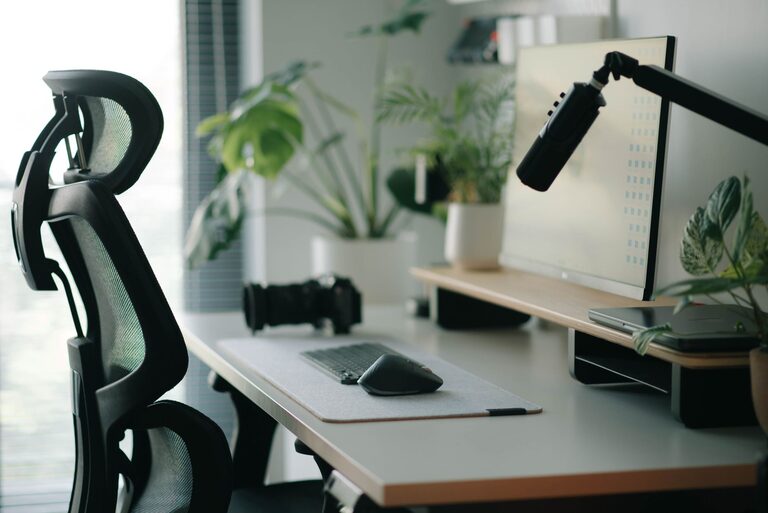
Creating a desk setup that promotes both focus and comfort can transform your workday. Whether you work from home, in an office, or study, a well-organized and ergonomic workspace supports better concentration and reduces physical strain. In this guide, we’ll explore practical tips to help you design a desk setup tailored to your needs.
Why Desk Setup Matters
Your workspace influences your productivity and overall well-being. A cluttered or uncomfortable desk can distract you, cause fatigue, and even lead to physical discomfort. On the other hand, a thoughtfully arranged desk encourages focus, reduces stress, and supports good posture.
Choosing the Right Desk and Chair
Desk Height and Size
– Height: Your desk should allow your elbows to rest at about a 90-degree angle when typing or writing. For most people, this means a desk height between 28 to 30 inches.
– Size: Choose a desk with enough surface area to hold your essentials without overcrowding. A clutter-free workspace helps maintain focus.
Comfortable Chair
– Look for a chair with adjustable height, lumbar support, and comfortable cushioning.
– Your feet should rest flat on the floor or on a footrest.
– The chair’s backrest should support the natural curve of your spine.
Monitor Placement for Reduced Eye Strain
– Position your monitor about an arm’s length away.
– The top of the screen should be at or slightly below eye level.
– Tilt the monitor slightly upward to keep your neck in a neutral position.
– Use a monitor stand or adjustable arm if needed to achieve the right height.
Lighting: Bright but Gentle
– Natural light is ideal but avoid glare on your screen.
– Use a desk lamp with adjustable brightness and color temperature.
– Position your light source to minimize shadows and reduce eye strain.
Keyboard and Mouse Setup
– Keep your keyboard and mouse close enough to avoid stretching.
– Use a keyboard tray or desk surface that keeps your wrists straight.
– Consider ergonomic keyboards or mice if you experience discomfort.
Organizing Your Desk for Efficiency
Minimal Clutter
– Keep only the items you use daily on your desk.
– Store other items in drawers, shelves, or organizers.
Essential Supplies Within Reach
– Use small trays or containers for pens, paper clips, and other small tools.
– Use cable organizers to keep cords tidy and out of the way.
Personal Comfort and Wellness
Add Plants or Personal Touches
– Small plants can improve air quality and create a calming environment.
– Personal photos or inspiring quotes can boost motivation but avoid overloading your space.
Maintain Good Posture
– Sit back fully in your chair.
– Keep your shoulders relaxed.
– Take regular breaks to stand, stretch, or walk around.
Use Support Items if Needed
– A footrest can improve circulation if your feet don’t reach the floor.
– Wrist rests can help reduce strain during typing.
Maintaining Your Desk Setup
– Clean and declutter your desk at the end of each day or week.
– Adjust your setup as needed based on tasks or comfort needs.
– Regularly check your posture and make changes if you notice discomfort.
Conclusion
Creating a desk setup that balances focus and comfort requires attention to ergonomics, organization, and personal preferences. By choosing the right furniture, positioning your equipment correctly, and maintaining a tidy workspace, you can foster a productive and enjoyable environment. Remember, small adjustments can make a big difference in how you feel and perform each day. Take time to customize your desk setup to support your work and well-being.